How to Choose the Right Lenovo Laptop Power Adapter
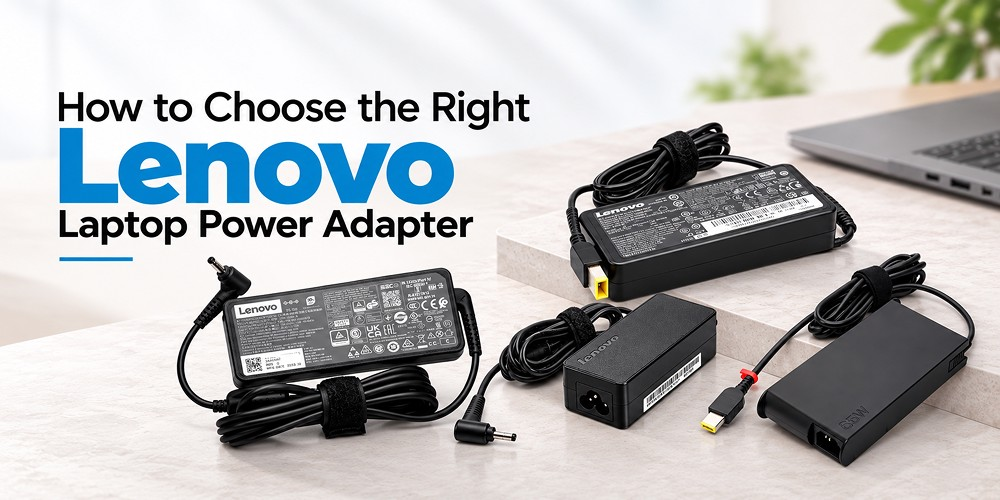
A laptop is only as dependable as the power source behind it. When the battery runs low and the charger stops working, even the best machine becomes a paperweight. If you own a ThinkPad, IdeaPad, Yoga, Legion, or any other model from the brand, picking the correct Lenovo laptop adapter matters more than most people realize. The wrong one can charge slowly, overheat, or even damage your device.
This guide explains what to check before you buy, so you can choose a safe, compatible, and long-lasting option.
Why the Right Laptop Adapter Matters
A laptop adapter does more than fill the battery. It converts the AC power from your wall socket into the stable DC power your laptop needs. If that conversion is inconsistent, the battery, motherboard, and charging port can all suffer.
A poor-quality laptop power adapter often shows up as flickering screens, random shutdowns, or a charger that gets too hot to touch. A well-matched Lenovo power adapter, on the other hand, delivers steady output, protects the battery, and keeps performance consistent for years.
Many users search for a laptop charger only when theirs fails. It is smarter to understand the specifications beforehand, especially if you travel often or use your laptop for long work sessions.
Start With the Label on Your Existing Charger
The easiest way to find the right Lenovo laptop adapter is to read the small print on your current charger. You will usually find an “Output” section with three key values:
- Voltage (V): typically 19V, 20V, or a range for USB-C models.
- Current (A): the amperage the charger supplies, such as 2.25A or 4.5A.
- Power (W): the total wattage, such as 45W, 65W, or 135W.
Voltage should match your laptop’s requirement exactly. Amperage and wattage can be equal to or slightly higher than the original, but never lower. A charger with a lower rating will struggle to power the machine, while a higher-rated one is perfectly safe because the laptop only draws what it needs.
Lenovo Laptop Charger Wattage Guide
Wattage is where most buyers get confused, so here is a simple Lenovo laptop charger wattage guide to help you:
- 45W: Suitable for lightweight models such as many IdeaPad Slim, ThinkPad E-series, and Chromebook devices.
- 65W: The most common choice for everyday business and student laptops, including many ThinkPad L-series and IdeaPad models.
- 90W: Often used for mid-range performance laptops and some older ThinkPad T-series machines.
- 135W to 230W or more: Meant for gaming laptops like Legion and high-performance workstations with dedicated graphics cards.
If you cannot read the label, check your laptop’s model number in the manual or on the bottom panel. Using a 45W charger on a laptop that needs 65W may work for light tasks, but it will charge slowly or not at all under heavy load. Matching the wattage keeps the system stable and protects the battery over time.
Understand the Connector Type
Wattage is only half the story. The plug has to fit, too. Lenovo has used several connector styles over the years, and choosing the wrong one means the charger simply will not work.
Round pin (barrel) connectors are found on older IdeaPad and ThinkPad models. They come in a few sizes, so check the pin diameter before ordering.
Slim tip (rectangular) connectors became common on newer ThinkPad and IdeaPad laptops. This design is thin, easy to plug in, and safer for the port, but it is not interchangeable with round tips.
USB-C connectors are now standard on most modern thin-and-light laptops. This leads to the next section, because USB-C charging has its own rules.
Checking Lenovo Laptop Adapter Compatibility
Good Lenovo laptop adapter compatibility depends on four things: voltage, wattage, connector type, and model series. Even within the same brand, a ThinkPad charger may not suit a Legion, and an old IdeaPad adapter may not fit a newer slim-tip port.
Before you place an order, do this quick check:
- Note your laptop’s exact model number.
- Compare the output voltage and wattage with the charger you are considering.
- Confirm the connector shape and size.
- Read the product description for a list of supported models.
Reputable sellers usually list compatible models clearly. If the listing is vague, ask for clarification before purchasing. A few minutes of checking can save you from returns and delays.
Shop Lenovo Laptop Power Adapters
Looking for the right Lenovo Laptop Adapter for your device? Explore our selection of laptop power adapters designed for different wattage requirements and connector types. Compare product specifications, check model compatibility, and choose a suitable Lenovo Replacement Charger for your laptop.
Browse the available options below to find a power adapter that matches your device’s requirements
-
-35%

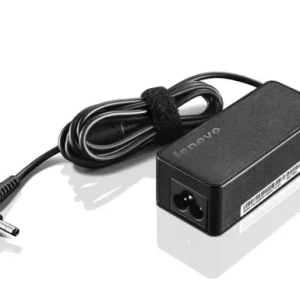
Lenovo 45W Round Pin Laptop AC Power Adapter
₹ 1,990.00Original price was: ₹ 1,990.00.₹ 1,290.00Current price is: ₹ 1,290.00. Add to cart Compare -
-40%
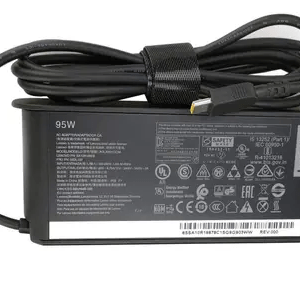
Lenovo 95w C type Yellow pin Laptop AC Power Adaptor
₹ 4,990.00Original price was: ₹ 4,990.00.₹ 2,990.00Current price is: ₹ 2,990.00. Add to cart Compare -
-22%
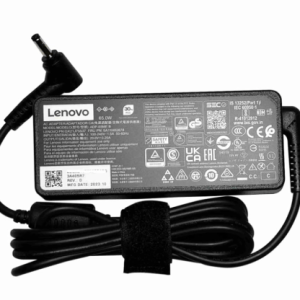
Lenovo 65w Small Round pin AC Power Adaptor
₹ 2,250.00Original price was: ₹ 2,250.00.₹ 1,750.00Current price is: ₹ 1,750.00. Add to cart Compare -
-17%
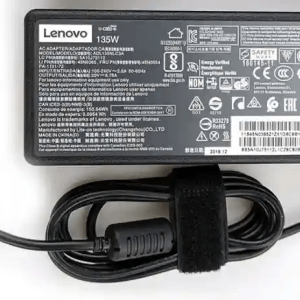
Lenovo 135W USB-C Connector AC Power Adapter
₹ 5,850.00Original price was: ₹ 5,850.00.₹ 4,850.00Current price is: ₹ 4,850.00. Add to cart Compare
Original vs. Replacement Charger
Many users wonder whether a Lenovo replacement charger is as good as the original. The answer depends on quality. A genuine or high-grade compatible charger can perform just as well as the one in the box, provided it meets safety standards and the right specifications.
When comparing options, look for:
- Overcurrent, overvoltage, and short-circuit protection.
- A sturdy cable with good strain relief at both ends.
- Clear labeling of input and output ratings.
- A warranty that covers manufacturing defects.
Avoid unbranded, unusually cheap chargers with no safety information. Saving a small amount today can cost far more if the charger damages your battery or motherboard.
Tips to Buy a Laptop Adapter Safely
When you plan to buy laptop adapter products online or in person, keep these habits in mind:
- Know your model: Always search using your laptop’s exact model name or number.
- Check the seller’s reputation: Choose a trusted supplier with clear return and warranty policies.
- Inspect the packaging: Look for proper labels, a clean finish, and no loose parts.
- Read reviews: Real customer feedback often reveals heating problems or short lifespans.
- Ask about support: A good seller will help you confirm fitment before you pay.
If you want to buy Lenovo laptop adapter options with confidence, deal with a supplier that specializes in laptop parts instead of a general marketplace listing with limited details.
Signs Your Charger Needs Replacing
Not every charging problem means the laptop is faulty. Often, the Lenovo laptop charging adapter is the real culprit. Watch for these warning signs:
- The laptop charges only when the cable is held at a certain angle.
- The charger or brick gets unusually hot.
- You notice frayed wires, bent pins, or a burnt smell.
- The charging light flickers or does not come on.
- The battery drains even while plugged in.
If you see any of these, stop using the charger and replace it promptly. A damaged Lenovo laptop power supply can be a safety hazard, not just an inconvenience.
How to Make Your Adapter Last Longer
A little care goes a long way. Avoid wrapping the cable tightly around the brick, since this stresses the wires. Keep the charger in a ventilated area, and never cover it with blankets or pillows while it is in use. Unplug it during storms, and do not yank the cable out of the port by pulling on the wire.
It also helps to carry a protective pouch when traveling, so the connector does not get crushed in your bag.
Final Thoughts
The right Lenovo laptop adapter is the one that matches your laptop’s voltage, wattage, and connector, and meets proper safety standards. Take a moment to read the specifications, use the wattage guide above, and verify compatibility before you pay. Whether you need a Lenovo USB-C charger for a modern ultrabook or a high-wattage unit for a gaming machine, an informed choice protects both your laptop and your budget.
If you are ready to replace a faulty charger, Uniq Infotech offers a dependable range of laptop adapters and power supplies suited to many Lenovo models. With quality-tested products and helpful guidance on compatibility, Uniq Infotech makes it easier to find the right fit and keep your laptop powered without worry.