
Dell USB-C Laptop Charger: 30W vs 45W vs 65W – Which One Do You Need?
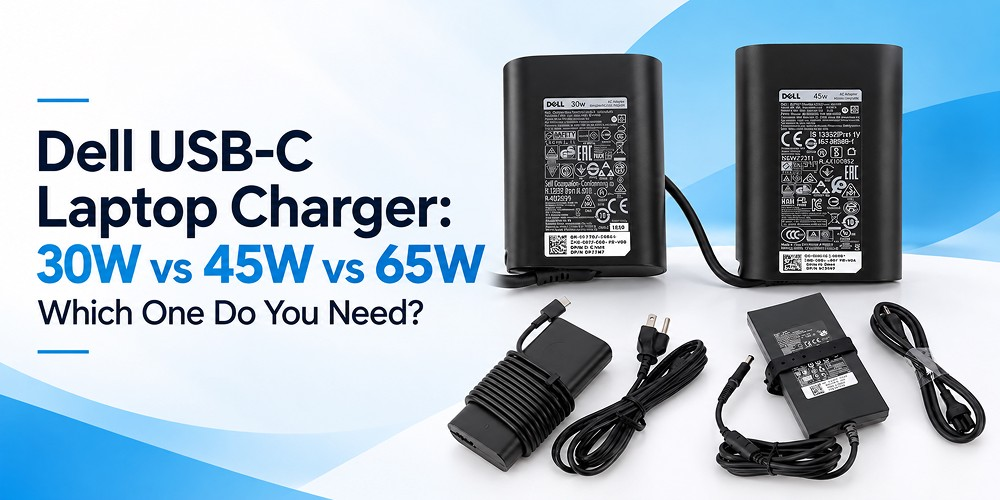
A dead charger always seems to fail at the worst moment: before a client call, during exam week, or halfway through a trip. When it happens, the replacement you pick matters more than most people expect. Dell sells chargers in several wattages, and the wrong one can mean slow charging, warning messages, or a laptop that will not charge properly.
This guide compares the 30W, 45W, and 65W options, explains where a 150W adapter fits, and shows you how to choose a Dell laptop charger that suits both your device and the way you work.
Why Wattage Matters
Wattage tells you how much power a Laptop Adapter can deliver. Your laptop’s processor, screen, and battery all draw power, and the charger has to supply enough to run the machine and refill the battery at the same time.
If the wattage is too low, charging may be very slow, or the battery may drain even while plugged in. Some laptops also show a “slow charger” message at startup. A higher-wattage charger is generally not a problem for a laptop that supports it, because the laptop only draws what it needs. Still, the connector, voltage, and charging standard must match. Wattage alone does not make a charger compatible.
Dell 30W USB-C Charger: Light and Portable
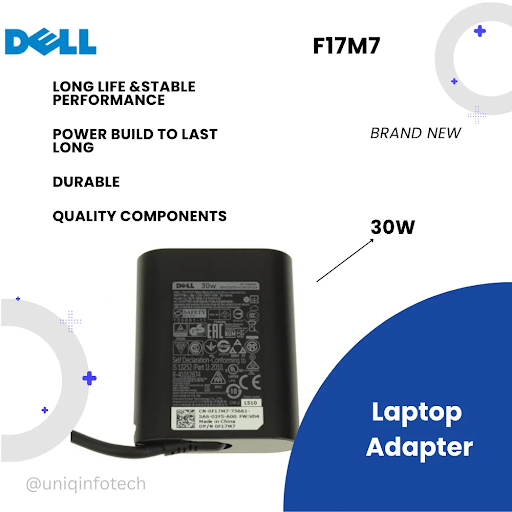
The Dell 30W USB-C charger is made for compact, low-power devices. It is small enough to slip into a sleeve or handbag, which makes it a good travel companion.
It suits light tasks such as browsing, writing documents, checking email, and attending the occasional video call. If your laptop was designed for a higher rating, a 30W unit may charge it slowly or not keep up under load.
If your device supports this rating, the Dell 30 Watt USB Type-C Charger AC Power Adapter (F17M7/RDYGF) is a practical replacement or a lightweight spare.
Best for: Students, travelers, and light office use on compatible low-power laptops.
Dell 45W Laptop Charger: The Everyday Choice
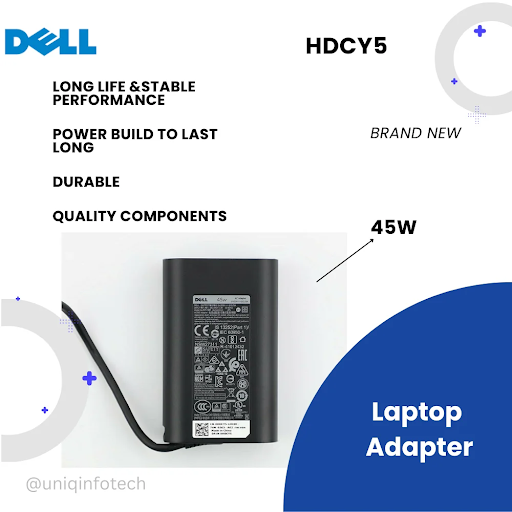
The Dell 45W laptop charger is a popular middle option. It offers enough power for spreadsheets, research, online meetings, and everyday multitasking without adding much weight to your bag.
If your Dell laptop specifies 45W USB-C charging, this is the rating to match. Check the voltage and USB Power Delivery details on your original adapter label as well, not just the wattage.
The Dell 45 Watt AC Adapter with USB Type-C Connector (T6V87/HDCY5) is worth a look if that matches your laptop.
Best for: Remote workers, office professionals, and students who use their laptop all day.
Dell 65W USB-C Charger: More Power in Reserve
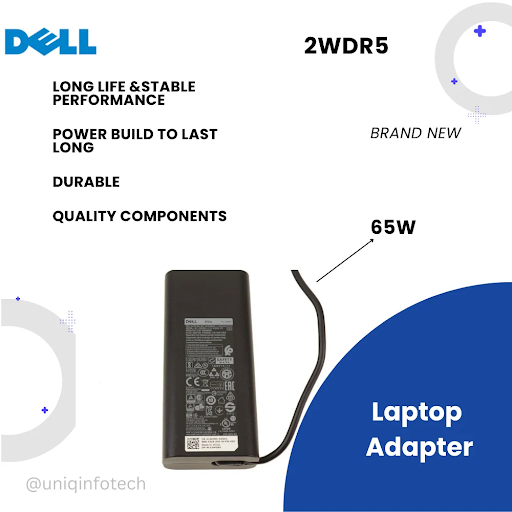
The Dell 65W USB-C charger is built for laptops that need more power. If you keep many apps open, edit photos, sit through long video calls, or use a laptop with a faster processor, 65W gives you more headroom while charging.
Keep in mind that higher wattage does not automatically mean faster charging. The laptop must support that power level, and charging speed also depends on battery condition and workload. That said, a 65W charger can also power some devices designed for lower ratings, which makes it a flexible option for shared workspaces.
If your laptop supports it, take a look at the Dell 65 Watt Charger AC Power Adapter USB Type-C 65W (2WDR5).
Best for: Power users, professionals, and creators who need reliable charging under heavier workloads.
Where the Dell 150W Laptop Charger Fits
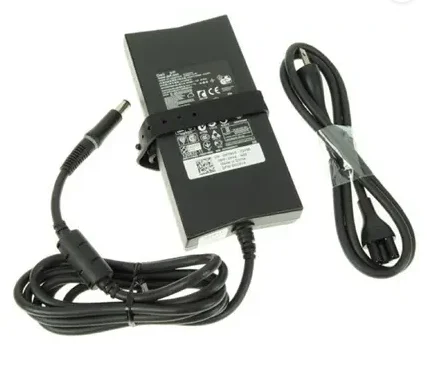
Not every Dell laptop charges over USB-C. Performance machines such as gaming laptops and mobile workstations often need a dedicated barrel-pin connector and much higher power. That is where the Dell 150W laptop charger comes in.
This type of adapter is not interchangeable with a USB-C charger. The connector, electrical specifications, and charging method are all different. Using an underpowered adapter with a performance laptop is a common reason for throttled speeds and batteries that never fill.
If your laptop requires this connector and rating, see the Dell 150W Big Pin Slim Shape Laptop Power Adaptor. Its slim shape makes it easier to carry than older, bulky bricks.
Best for: Gaming laptops and workstations that originally shipped with a 130W or 150W adapter.
Which Dell USB-C Charger Should You Choose?
Use this table as a starting point, then confirm against your laptop’s specifications.
Wattage | Best suited for | What to check |
30W | Light use, travel, low-power laptops | Whether your laptop supports 30W charging |
45W | Everyday office and study | Voltage and USB-C charging support |
65W | Heavier workloads, multitasking | Recommended wattage and power profiles |
150W | Gaming laptops, workstations | Barrel-pin connector and exact model |
A good rule is to start with the wattage printed on your original charger. If you want a more flexible Dell USB-C charger for several devices, stepping up in wattage can make sense, as long as the laptop supports it.
How to Check Dell Charger Compatibility
Reliable Dell charger compatibility comes down to a few quick checks:
- Identify your laptop model. Look on the underside of the laptop, the original box, or the system information screen.
- Read the original adapter label. It lists wattage, voltage, and amperage, for example 20V and 3.25A.
- Confirm the connector. USB-C is flat and reversible. Barrel-pin connectors are round with a center pin.
- Match voltage and charging standards. Voltage should match, and amperage should be equal or higher.
- Compare the product details. Check the part number and specifications on the product page against your laptop.
A Dell laptop power adapter that passes all five checks should charge safely and efficiently. One that fails even a single check can lead to slow charging or error messages.
Common Mistakes to Avoid
- Choosing a charger because the plug fits, without checking power requirements.
- Assuming every USB-C charger works with every laptop.
- Buying a lower-wattage charger to save money.
- Ignoring voltage and charging standards.
- Mixing up USB-C and barrel-pin connectors.
- Picking very cheap, unbranded options that can overheat and stress the battery.
A good Dell laptop charging adapter should match your laptop’s actual requirements, not just its brand or plug shape.
Where to Buy a Laptop Adapter Online
When you Buy Laptop Adapter options online, look for listings with clear wattage, connector details, voltage, and part numbers. Take a few minutes to compare them with your laptop before ordering. It is a small step that prevents returns and delays.
Frequently Asked Questions
Is a 65W Dell USB-C charger better than a 45W charger?
Not always. A 65W charger supplies more power, but the best choice is the rating your laptop is designed for. A 45W adapter is perfectly suitable for a laptop built around that rating.
Can I use a 30W charger with my Dell laptop?
Only if your laptop supports 30W charging. A laptop designed for a higher wattage may charge slowly or struggle under load.
Can I use a 150W adapter instead of a USB-C charger?
Only if the connector and electrical specifications match your specific laptop. A 150W big-pin adapter is not automatically interchangeable with a USB-C charger.
How do I find the charger I need?
Check your laptop model, the original adapter label, and the connector type, then compare them with the product specifications.
Conclusion
Choosing between a 30W, 45W, and 65W charger gets easier once you know how you use your laptop. Light users and travelers will be comfortable with 30W, everyday professionals will find 45W a practical match, and heavy multitaskers will appreciate the headroom of 65W. High-performance machines with a barrel-pin port need a dedicated 150W adapter instead. In every case, confirm the model, connector, voltage, and wattage before you order.
Uniq Infotech offers a range of laptop adapters, including the 30W, 45W, 65W, and 150W models featured above, so you can compare options and choose one that fits your device. If you are unsure which adapter suits your laptop, check the specifications first and pick the one that matches.