
How to Choose the Right Laptop Adapter for Your Laptop
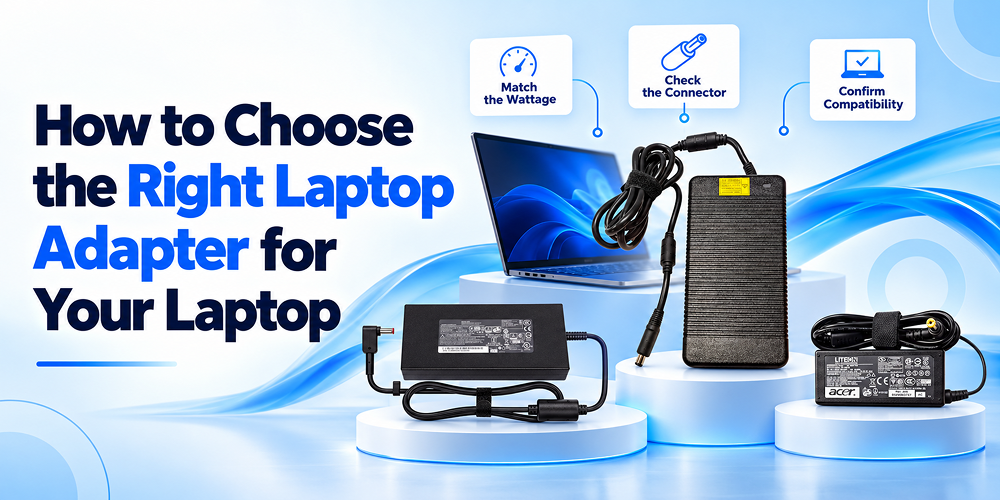
Choosing the right laptop adapter is essential for keeping your laptop powered, charging efficiently, and performing reliably. Whether you use your laptop for office work, gaming, online classes, or professional tasks, the correct power adapter helps ensure a stable power supply and supports the device’s charging requirements. However, selecting a replacement involves more than finding a plug that fits your laptop.
Voltage, wattage, connector type, and model compatibility are important factors to consider before making a purchase. This guide explains how to choose a laptop adapter, identify the correct specifications, and select a suitable replacement for your device.
1. Understand What a Laptop Adapter Does
A Laptop Adapter converts electricity from a wall outlet into the appropriate power required by your laptop. It supplies the energy needed to operate internal components, charge the battery, and maintain consistent performance during everyday use.
A Laptop Power Adapter typically consists of a power brick, an electrical cable, and a connector that attaches to the laptop. Depending on the model, it may use a traditional barrel connector, a proprietary charging pin, or USB-C Power Delivery technology.
Although the terms laptop adapter and Laptop Charger are often used interchangeably, the adapter specifically converts electrical power into a suitable output for the laptop. Understanding its function helps you choose a replacement that meets your device’s requirements.
2. Check Your Laptop’s Power Requirements
Before purchasing a replacement, identify your laptop’s exact model number and required power specifications. You can usually find this information on the original adapter label, the laptop’s underside, the manufacturer’s website, or the product manual.
Check these essential specifications:
- Output voltage: The voltage required by your laptop.
- Output current: The minimum current capacity needed to power the device.
- Wattage: The total power output supported by the adapter.
- Connector type: The size and design of the charging plug.
- Compatibility: Whether the adapter is designed for your specific laptop model.
Matching these specifications helps you select a suitable replacement laptop charger and reduces the risk of charging problems or hardware damage. If the original adapter is unavailable, consult the laptop manufacturer’s documentation rather than guessing.
3. Understand Laptop Charger Wattage
Laptop charger wattage indicates how much electrical power an adapter can supply. The correct wattage depends on your laptop’s design and power consumption.
Common adapter ratings include 45W, 65W, 90W, 120W, 150W, 180W, and 230W. Lightweight laptops may require lower wattage, while gaming laptops and professional workstations often need higher-power adapters.
You can calculate wattage by multiplying voltage by current:
Power (W) = Voltage (V) × Current (A)
For example, an adapter rated at 19.5V and 3.33A provides approximately 65W of power.
When selecting an adapter, follow the manufacturer’s recommended wattage. A lower-rated adapter may charge slowly, struggle to power the laptop during demanding tasks, or fail to charge the battery while the device is in use.
An adapter with a higher wattage rating may be suitable if the voltage, connector, and other compatibility requirements match. However, a higher rating does not automatically mean faster charging.
4. Match the Voltage and Connector Type
Voltage compatibility is one of the most important considerations when choosing a Laptop Power Adapter. The output voltage must match the laptop manufacturer’s specified requirements. Using an adapter with an incorrect voltage can cause charging issues and potentially damage internal components.
Next, check the connector. Laptop manufacturers use different charging designs, including round barrel plugs, slim-tip connectors, proprietary charging connectors, and USB-C ports.
Do not select an adapter based only on the appearance of its plug. Two connectors may look similar but differ in dimensions, electrical specifications, or identification features.
For USB-C laptops, confirm that the particular port supports charging and that the adapter and cable support the required USB Power Delivery profile. These checks help ensure that the power supply works correctly with your laptop.
5. Choose an Adapter Compatible With Your Laptop Brand
Laptop adapters are designed to meet the electrical and physical requirements of specific models. Even within the same brand, different laptops may require different wattages, connectors, or charging technologies.
Laptop Adapter HP
When selecting a Laptop Adapter HP, check your exact HP laptop model, output voltage, wattage, and connector type. Some HP laptops use small blue-tip connectors, while others require larger pin connectors or USB-C charging.
Also verify whether your model requires a compatible identification pin or other manufacturer-specific feature. Matching these details helps you avoid purchasing an adapter that fits physically but does not charge the laptop correctly.
Laptop Adapter Lenovo
A Laptop Adapter Lenovo should meet the power requirements of your particular Lenovo IdeaPad, ThinkPad, Yoga, or other compatible model. Depending on the device, the charging connection may use a round pin, a rectangular Slim Tip connector, or USB-C.
Check the recommended adapter rating and confirm USB-C Power Delivery support where applicable. Do not assume that every Lenovo adapter works with every Lenovo laptop.
The same principle applies to Dell, HP, Acer, ASUS, Apple, and other manufacturers: always verify compatibility using the exact laptop model.
6. Should You Choose an Original or Compatible Laptop Charger?
When your existing adapter stops working, you can look for an original replacement or a compatible alternative that meets the laptop manufacturer’s specifications.
An original adapter is designed for the supported device or model family. A compatible laptop charger can also be a suitable option when its electrical specifications, connector, and any required identification features meet the laptop’s requirements.
Before purchasing a compatible replacement, check:
- Correct output voltage and adequate power capacity.
- Matching connector dimensions and polarity, where applicable.
- Support for the laptop’s charging technology.
- Reliable construction and appropriate electrical safety protections.
- Clear product specifications and compatibility information.
Avoid choosing a charger solely because it is inexpensive. Poor-quality power supplies may lack essential safety protections and can create overheating or electrical risks.
A properly specified compatible adapter offers a practical replacement option without compromising the laptop’s power requirements.
7. Is a Universal Laptop Adapter a Good Choice?
A universal adapter may include interchangeable connector tips or adjustable output options for supporting different devices. However, the word “universal” does not guarantee compatibility with every laptop.
Before using one, confirm that it supports the exact voltage, sufficient wattage, correct connector, polarity, and any required manufacturer-specific identification features. For USB-C laptops, verify the supported Power Delivery output and cable rating.
A universal adapter is worth considering when its specifications are clearly documented and it explicitly supports your laptop model. If you are uncertain, a model-specific adapter is generally easier to verify.
8. Signs That You Need a Replacement Laptop Charger
A faulty adapter can interrupt your work and affect your laptop’s charging performance. Consider checking or replacing it if you notice any of these signs:
- The laptop does not charge when connected to a working power outlet.
- Charging repeatedly starts and stops.
- The adapter cable has visible damage or exposed wires.
- The power connector feels loose or fits incorrectly.
- The adapter becomes unusually hot or produces a burning smell.
- The laptop reports an adapter recognition or power-related warning.
First, inspect the power outlet, cable connections, and charging port where it is safe to do so. If the adapter is damaged, smells burnt, sparks, or overheats abnormally, disconnect it from power and stop using it. Seek professional assistance if the problem continues, as the battery or charging port may also be responsible.
9. Where to Buy a Laptop Adapter Online
When you Buy Laptop Adapter online, choose a seller that provides clear product specifications, compatibility details, and reliable customer support. Confirm the laptop model, wattage, voltage, and connector before placing your order.
Compare product listings carefully, especially when choosing between adapters that appear similar. Review the product description, warranty information, return policy, and available safety details. These checks help you make a more informed purchasing decision.
You can explore the laptop adapter category to find options for different laptop brands and power requirements. Selecting a suitable product based on verified specifications is more important than choosing an adapter based only on price or appearance.
Conclusion
Choosing the right laptop adapter starts with understanding your laptop’s power requirements, matching the voltage, selecting the correct connector, and ensuring sufficient wattage. Whether you need a Laptop Adapter HP, a Laptop Adapter Lenovo, or a compatible replacement for another brand, always verify the exact model specifications before purchasing.
Uniq Infotech offers a range of laptop parts and accessories to help users find suitable replacement components for their devices. Explore the laptop adapter collection to review available options, compare product specifications, and select a power adapter that meets your laptop’s requirements.