
What Is a Motherboard? Components, Functions & Features Explained
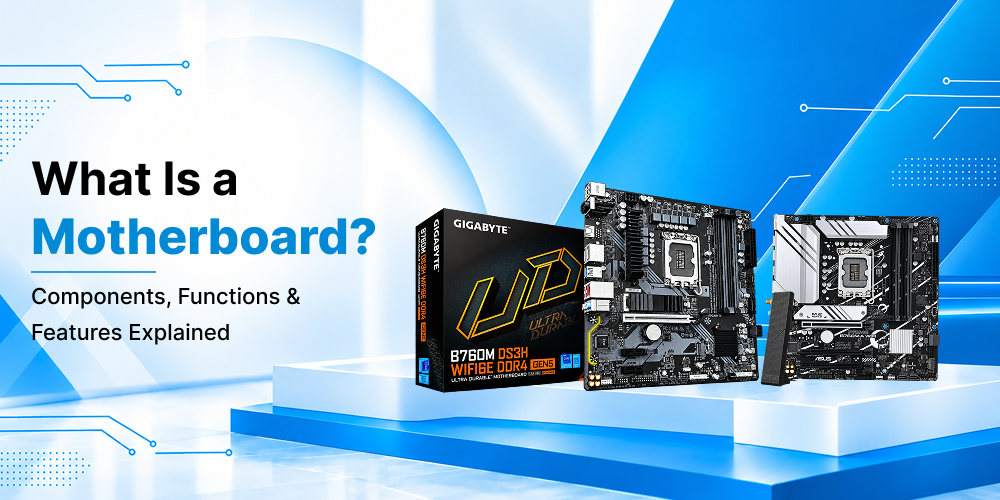
Every computer, from a basic office machine to a high-end rig, relies on one board that connects everything. Without it, the processor, memory, storage, and graphics card would be separate parts that cannot work together. If you have ever wondered what does a motherboard do, this guide covers the basics, the key parts, the different form factors, and how to choose the right one.
What Is a Motherboard?
A computer motherboard is the main printed circuit board inside your system. It acts as the central hub that links the CPU, RAM, storage drives, graphics card, and other peripherals. It also distributes power from the power supply to each component and lets them exchange data quickly.
Think of it as the nervous system of your machine. The processor may be the brain, but the board carries every signal between the brain and the rest of the body. A PC motherboard also decides which processors, memory types, and expansion cards your system can support, so it shapes your upgrade options for years.
What Does a Motherboard Do?
So, what does a motherboard do in daily use? It performs several jobs at once:
- Connects components: It gives the CPU, memory, storage, and add-in cards a physical and electrical path to communicate.
- Distributes power: Voltage regulators convert power from the supply into the correct levels for each part.
- Manages data flow: The chipset coordinates traffic between the processor, memory, and connected devices.
- Stores firmware: The BIOS or UEFI chip holds the startup instructions that wake your computer and check the hardware.
- Supports expansion: Slots and ports let you add graphics cards, Wi-Fi adapters, sound cards, and USB devices.
Because it handles all of this, the board directly affects stability, speed, and how long your build stays useful.
Motherboard Components and Functions
Understanding motherboard components helps you read a spec sheet with confidence. Here are the most important ones and what each does. This overview of motherboard components and functions should make shopping much easier.
CPU Socket: This is where the processor sits. Sockets differ by brand and generation, so your CPU must match the socket type exactly.
Chipset: The chipset is the traffic controller. It decides how many USB ports, storage connections, and PCIe lanes the board offers, and whether features like overclocking are available.
RAM Slots: These hold your memory modules. Most modern boards offer two or four slots and support dual-channel memory for better performance.
PCIe Slots: These are used for graphics cards, NVMe adapters, and other expansion cards. The main x16 slot usually hosts the GPU.
Storage Connectors: SATA ports connect traditional hard drives and SSDs, while M.2 slots support fast NVMe drives that load games and files in seconds.
VRM (Voltage Regulator Module): The VRM delivers clean, stable power to the processor. A strong VRM design with good cooling is important for demanding workloads.
BIOS/UEFI Chip: This chip stores the firmware that starts your system and lets you change settings such as boot order and fan curves.
I/O Panel and Headers: The rear panel provides USB, audio, display, and network ports. Internal headers connect case fans, front-panel buttons, and RGB lighting.
CMOS Battery: This small coin cell keeps the system clock and BIOS settings saved when the power is off.
Types of Motherboard
There are several types of motherboard, and they are mainly defined by size, which is called the form factor. The right choice depends on your case, budget, and how many components you plan to install.
ATX: This is the most common standard. It offers plenty of expansion slots, multiple RAM slots, and strong cooling headers, which makes it a favorite for builders who want flexibility.
Micro-ATX: A smaller option with fewer expansion slots. It suits budget builds and compact cases without giving up too many features.
Mini-ITX: The smallest mainstream size. It is ideal for tiny, space-saving systems, though it usually has only one PCIe slot and two RAM slots.
E-ATX: An extended version for workstations and enthusiast builds that need extra power phases, more memory slots, and additional connectivity.
Knowing these types of motherboard prevents a common mistake: buying a board that does not fit your case.
Choosing a Motherboard for Gaming
If you are building a high-performance system, a gaming motherboard deserves extra attention. A good motherboard for PC builds does more than hold your parts. It keeps them running smoothly during long sessions.
Look for these features when choosing a motherboard for PC gaming:
- Chipset support: Pick a chipset that allows overclocking if you want to push your CPU further.
- Robust VRM and cooling: Heatsinks over the power delivery area help maintain performance under load.
- PCIe 4.0 or 5.0 support: Newer standards give your graphics card and NVMe drives more bandwidth.
- Fast memory support: High-speed DDR5 or DDR4 compatibility can improve frame rates in many titles.
- Multiple M.2 slots: Large game libraries load faster on NVMe storage, and extra slots make expansion easy.
- Modern connectivity: Wi-Fi 6 or 6E, 2.5G Ethernet, and USB-C ports keep your setup future-ready.
A well-chosen motherboard for gaming PC setups also gives you room to upgrade your GPU or add more storage later without replacing the whole board.
How to Find the Best Motherboard for PC Use
There is no single winner, because the best motherboard for PC builds depends on your goals. Follow these steps to narrow down your options.
Start with your processor. Your CPU decides the socket and chipset family. Check compatibility before looking at anything else.
Match the form factor to your case. Measure your cabinet or check the manufacturer’s specifications so the board fits properly.
Consider your workload. Gamers need strong graphics slots and cooling. Video editors benefit from more RAM capacity and fast storage. Office users can choose a simpler, budget-friendly board.
Check the ports and slots. Count how many USB ports, SATA connectors, and M.2 slots you need now and in the future.
Plan for upgrades. A slightly better board today can save you from a full rebuild later.
Read reviews and warranty terms. Reliable support matters just as much as features.
The best motherboard for PC use is the one that fits your processor, case, budget, and long-term plans, not simply the most expensive model.
Tips to Buy a Motherboard Online
Many shoppers now prefer to buy motherboard online because of wider choice, easy price comparison, and doorstep delivery. Here are a few practical tips to help you shop safely.
- Verify compatibility first. Confirm the socket, chipset, and RAM type before placing an order.
- Compare specifications, not just prices. Two boards at similar prices may differ in VRM quality, connectivity, and expansion options.
- Buy from trusted sellers. Choose a store that offers genuine products, clear return policies, and a valid warranty.
- Check delivery and packaging. Motherboards are delicate, so good packaging matters.
- Keep your invoice. You will need it for warranty claims later.
If you want to buy desktop motherboard models for a home build, an office upgrade, or a replacement, take your time with the checklist above. People who buy desktop motherboard products without checking compatibility often face avoidable returns and delays. Shopping for a desktop motherboard online is simple when you know your requirements, and it lets you browse multiple brands and price ranges in one place.
Maintenance Tips for a Longer Lifespan
A good board can last many years if you look after it. Keep your cabinet well ventilated and clean dust regularly with compressed air. Update the BIOS only when needed, since new versions can improve compatibility and stability. Avoid touching the circuitry with bare hands, and use an anti-static wrist strap during installation. Finally, make sure your power supply is reliable, as unstable power can damage even a premium board.
Conclusion
A motherboard is far more than a plain circuit board. It connects every part of your system, manages power and data, and decides how far you can upgrade. By understanding its components, the different form factors, and the features that matter for your needs, you can make a smarter choice, whether you are building a gaming setup, a workstation, or an everyday family computer.
If you are ready to upgrade or build, Uniq Infotech offers a range of reliable computer hardware to match different budgets and performance needs. Explore the options, compare specifications carefully, and choose a board that will serve your system well for years to come.